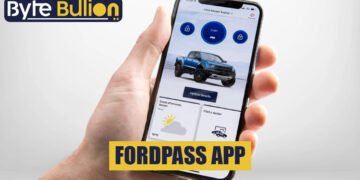



The FordPass app was Ford’s ownership app for remote start, door locks, vehicle status, service booking, and more. According to Ford’s own App Store listing and a report from Ford Authority, FordPass has been renamed and is now simply the Ford app. Owners still search for FordPass, and many still use the old name. This guide explains what the app does, what changed with the rename, what recent reviews say about missing features and problems, what to know about privacy and subscriptions, and how to troubleshoot common issues. Some details vary by model, year, and country, and much of the owner feedback is anecdotal, so we flag what we could and could not confirm. We did not use the app ourselves.
The Rename: FordPass Is Now the Ford App
Ford Authority reported that FordPass was rebranded as the Ford app, described as Ford’s official ownership app. In the App Store, the listing now reads simply “Ford,” and the release notes say “FordPass is now the Ford app.” The report says it is a rebrand of the same app, not a new download, and it gives no exact date. It references events from May and September, so the change seems to have come in the fall of 2025. It also does not explain why the name changed or describe steps for existing users. See Ford Authority’s report on the rename.
The article says core functions carry over, including checking fuel levels, scheduling service, locking and unlocking doors, and starting the vehicle. It describes a redesigned interface with light and dark modes, a main screen with quick access to vehicle data, mobile keys and drivers, and smarter electric vehicle charging. It also says Ford reported 12 million daily users as of September, up from 1.3 million active users in 2020.
What the App Store Listing Shows
Ford’s listing, which still carries “FordPass” in the title in some regions, shows the app as free to download, about 299 megabytes, with an age rating of 18+. It shows a rating of 4.6 out of 5 from about 42,000 ratings. The version we saw was 6.25.0, with release notes adding Apple Live Activities for remote start status. Earlier notes mention in-app software update installs. See the App Store listing for the Ford app.
The listed features include remote start, lock and unlock, vehicle stats such as fuel or range, GPS vehicle tracking, Phone As A Key, service scheduling with a preferred dealer, and electric vehicle features such as charge levels, preconditioning, and public charging information. It also lists management of connected services, Ford Rewards points, and scheduling for over-the-air software updates. The listing says remote features require an activated vehicle modem and may vary by model.
What Reviews Say
The same listing says recent reviews are mixed to critical, mostly about missing features after updates, stability, and connection problems with newer vehicles. Developer replies are mostly acknowledgements that feedback was forwarded. Some reviewers say an update removed features such as a journey tracker, though the developer has not confirmed it.
The Ford Authority report includes similar comments from readers. One said an owner of a 2021 truck lost significant features, and another missed trip planning and exterior lights. Some said the app worked poorly on a 2017 model, and one reported that a dealer said the app was discontinued for that model year. Another reader explained that on a hybrid SUV, a small 12-volt battery can make the vehicle sleep and cut the connection the app needs. These are individual stories and may not reflect everyone’s experience.
Older Vehicles and Feature Changes
Ford has also posted pages about features no longer available in FordPass. We tried to open the UK support page on that topic, but only its metadata loaded, so we cannot say which features or vehicles it names. A 2022 post in Ford’s community forum on discontinued features and several owner forum threads discuss similar changes, but we did not read them in full.
If you drive an older model, check the Ford support page for your country and model year, or ask a dealer in writing which features are supported. The app’s functions depend on your vehicle’s modem and your connected service plan, not only on the app version.
Connected Services and Subscriptions
Remote features need an active vehicle modem, and some vehicles require a connected service plan after a trial period. The listing mentions management of connected services, including a driver-assist package and security and connectivity packages. Details vary by vehicle and region.
Before you pay for any connected plan, find out what it includes, how long the trial lasts, the renewal price, and how to cancel. A simple monthly budget helps you see whether recurring car-related fees are worth it. Save screenshots of prices and terms.
Privacy and Data
The App Store privacy labels are provided by the developer and not verified by Apple. They list data linked to you, including contact information such as name, email, phone, and address, customer support content, search history, identifiers such as user and device IDs, usage data, and diagnostics. The listed purposes are analytics, product personalization, and app functionality. The listing also says the app may use location even when it is closed.
That is typical for a connected car app, but it is worth thinking about. A vehicle app can reveal where you live, work, and travel. Review your location permissions, decide whether you need “always” access, and read Ford’s privacy policy, which we did not read. For simple habits that help, read this guide on staying private online.
If You Sell or Share the Vehicle
When you sell or trade in a vehicle, remove it from your account and reset connected features. Otherwise, a previous owner may keep access to remote functions or location data. If you let family members use the vehicle, set up the app’s driver and key features rather than sharing your password. After a sale, check that your account no longer lists the vehicle.
Troubleshooting Common Problems
If the app cannot connect to your vehicle, start with simple steps. Check your phone’s internet connection and confirm that the app has the latest update. Sign out and back in. Make sure the vehicle’s modem is active and the vehicle is in an area with cell coverage. Low vehicle battery can prevent remote commands, and some vehicles disable the modem when the battery is weak or when the vehicle has been parked a long time. Restarting the phone and reinstalling the app sometimes helps.
If a feature has vanished, check the release notes and the support page for your model and country. If it still does not work, contact Ford support or your dealer, and note the date, app version, and any error message.
Keeping Your Account Secure
Use a strong, unique password and turn on two-factor authentication if the app offers it. Do not share your login. Be careful with emails or texts that claim your vehicle account has a problem and ask you to click a link. Scammers imitate car makers. The Federal Trade Commission advises contacting a company through a website or phone number you know is real, not one in the message. Only install the app from your phone’s official store, and if you suspect a fake app, remove it and scan your device for malware.
Phone As A Key
The listing mentions Phone As A Key, which lets your phone act as the vehicle key. This is convenient but depends on your phone’s battery, Bluetooth, and app permissions. Keep a physical key or key fob as a backup. Lock your phone with a passcode, and know how to remove the key remotely if your phone is lost.
Electric Vehicle Features
For electric vehicles, the app lists charge levels, preconditioning, and public charging information. Preconditioning warms or cools the cabin before you drive, which can help comfort and range. Charging station data may be incomplete or out of date, so keep a second charging app and plan extra time on long trips. Check your charger settings and local electricity rates to avoid surprises.
Alternatives
Some drivers use a vehicle’s built-in screen, a physical key, or third-party tools for features like charging maps. We did not review them and make no ranking. For official features such as remote start and software updates, the Ford app is the intended route. Be cautious with unofficial apps that ask for your Ford login.
Before You Update the App
Because reviews mention features disappearing after updates, it can help to pause before installing a major version. Read the release notes in the store, note which features you use most, and check owner forums for your model for early reports. If your phone allows it, turn off automatic updates for a few days, then update once you have seen no widespread complaints. Keep a screenshot of the old app’s screens if you rely on a feature, so you have a record if it changes. Also save your vehicle’s model year and trim, since support teams will ask for them.
What We Could Not Verify
We did not use the app. The rename details come from one automotive news report that gives no exact date or reason. The App Store listing is developer-provided, and its privacy labels are not verified by Apple. We could not open Ford’s UK support page on discontinued features beyond its metadata, and we did not read Ford’s privacy policy or terms. Owner comments are anecdotal. Features vary by vehicle, year, region, and plan.
Conclusion
The FordPass app is now the Ford app, according to Ford’s App Store listing and a news report. It still covers remote start, locking, vehicle status, service scheduling, electric vehicle tools, and software update scheduling, though availability depends on the vehicle and connected plan. Reviews are mixed, with complaints about missing features and connection problems, especially on some newer and older vehicles.
Keep the app updated, check what your model supports, review privacy settings, watch for subscription costs, and contact Ford or your dealer if a feature you rely on goes missing.
Frequently Asked Questions
1. Is the FordPass app still available?
FordPass was renamed to the Ford app. The App Store release notes say “FordPass is now the Ford app.”
2. What can the app do?
It lists remote start, lock and unlock, vehicle status, tracking, service scheduling, electric vehicle tools, and software update scheduling, depending on your vehicle.
3. Why can’t my app connect to my vehicle?
Check your phone’s connection, update the app, confirm the vehicle modem is active, and make sure the vehicle battery is not low.
4. Does the app track my location?
The listing says it may use location even when closed. Review permissions and Ford’s privacy policy.
5. Do I have to pay for connected services?
Some vehicles need a plan after a trial. Check the terms for your model before paying.