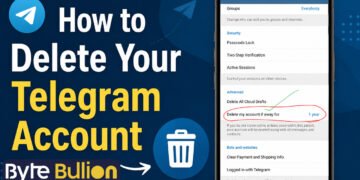



You can delete your Telegram account in just a few minutes, but the process works differently than most messaging apps. Telegram does not include a delete option inside the app itself. Instead, you need to use a web browser to confirm your identity and remove your account for good. This guide walks you through every step, explains what happens to your data, and shares an easy backup option if you’re not ready to say goodbye just yet.
Why People Delete Their Telegram Account
Many users delete Telegram for simple, personal reasons. Some switch to another app for daily chats, while others want to reduce their digital footprint or free up storage space. Privacy concerns are another common reason, since some users prefer to limit the number of active accounts tied to their phone number.
Whatever your reason, it helps to know that deleting your account is different from just removing the app. Uninstalling Telegram from your phone only removes the app, not your account, messages, or contacts. Your account stays active on Telegram’s servers until you delete it manually or it becomes inactive for a set period.
What Happens When You Delete Your Account
Deleting your Telegram account removes your messages, contacts, and media permanently. This action cannot be undone, so it’s worth thinking it through before you proceed. Any groups or channels you created will stay online, but they become “orphaned,” meaning no one holds the creator role anymore, though existing admins keep their permissions.
You also won’t be able to register a new Telegram account with the same phone number right away. Telegram places a short waiting period on the number before it can be used again. If you plan to switch phones or change your number instead, you don’t need to delete your account at all, since Telegram lets you update your number directly in the app settings.
How to Delete Your Telegram Account
The fastest way to delete your account is through Telegram’s official deactivation page in a web browser. This method works the same way on a phone, tablet, or computer.
Follow these steps:
- Open a browser and go to Telegram’s official account deletion page.
- Enter the phone number linked to your Telegram account.
- Check your Telegram app for a login code sent as a message, not a text.
- Enter the code to confirm your identity.
- Click “Delete My Account.”
- Confirm again by selecting “Yes, delete my account.”
Once you complete these steps, your account and all its data are removed immediately. If you’d rather delete your account directly from your phone, open Telegram, go to Settings, scroll down to the FAQ or Ask a Question section, and look for the account deletion link there. It leads to the same page and requires the same phone number and code verification.
Setting Up Automatic Account Deletion
If you’re unsure about deleting your account right now, Telegram offers a built-in auto-deletion feature instead. This option removes your account automatically after a set period of inactivity, so you don’t have to complete the manual steps later.
To turn it on, open Telegram and go to Settings, then Privacy and Security. Look for the “Delete My Account” section and choose how many months of inactivity should trigger deletion. The shortest option is one month, and longer options are also available. This feature works well if you want to stop using Telegram gradually rather than deleting everything right away.
Backing Up Your Data Before You Delete
Since account deletion is permanent, backing up your information first is a smart move. Telegram stores chats in the cloud, but once your account is gone, that access disappears too.
On the desktop app, go to Settings, then Advanced, and select “Export Telegram Data” to save your chat history to your computer. It’s also worth manually saving any important photos, videos, or documents shared in your chats. Before you go, consider letting close contacts know how to reach you elsewhere, since they’ll lose the ability to message you on Telegram once your account is deleted.
Conclusion
Deleting your Telegram account is a straightforward process once you know where to look. Whether you delete it manually through the browser or set it to expire automatically after inactivity, the choice is yours to make on your own schedule. Just remember to back up anything important first, since the deletion is permanent and cannot be reversed.
Frequently Asked Questions
Does uninstalling the Telegram app delete my account?
No. Uninstalling the app only removes it from your device. Your account, messages, and contacts remain active until you delete the account manually or it expires from inactivity.
Can I recover my Telegram account after deleting it?
No. Once deleted, your account and all its data are gone permanently, and Telegram does not offer a recovery option.
How long does it take to delete a Telegram account?
The manual deletion process takes just a few minutes once you confirm your phone number and enter the login code.
Can I use the same phone number to create a new Telegram account right after deleting my old one?
Not immediately. Telegram places a temporary hold on the number before it can be used to register a new account.
What happens to groups and channels I created after I delete my account?
They remain active online, but the creator role becomes vacant. Existing admins keep their permissions and can continue managing the group or channel.
Find what’s next and explore more at Byte Bullion