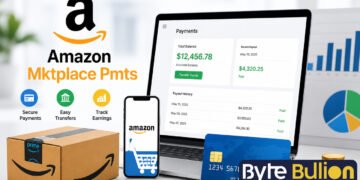



Amazon Mktplace Pmts is a charge that shows up on many bank and credit card statements, and it often catches people off guard. You glance at your statement, see a name you don’t recognize, and start to worry. The good news is that this charge almost always has a simple explanation. In this article, we will explain what the charge means, why it looks different from a normal Amazon order, and how you can quickly confirm what you paid for.
What Does Amazon Mktplace Pmts Mean?
Amazon Mktplace Pmts stands for Amazon Marketplace Payments. It appears when you buy an item from an independent seller who lists products on Amazon, rather than from Amazon itself. PMTS is simply a short banking term for “payments,” used because statement descriptors have limited space.
This label is not a separate company or a hidden service. It is Amazon’s way of showing that the transaction was processed through its Marketplace platform, which connects buyers with third-party sellers. Millions of small businesses sell through this system every day, so the charge is common and expected.
Why This Charge Looks Different From a Regular Amazon Order
Amazon runs two types of sales on its website. The first is Amazon Retail, where Amazon owns the product and ships it directly. These charges usually appear as “Amazon.com” or “AMZN” on your statement. The second is Amazon Marketplace, where outside sellers list and sell their own products through Amazon’s platform.
When you buy from a third-party seller, Amazon still handles the payment on the seller’s behalf. Because Amazon is acting as the payment processor and not the seller, your statement shows the Marketplace descriptor instead of a simple “Amazon” label. If one order contains both a retail item and a marketplace item, you may even see two separate charges for a single purchase.
Common Reasons You See This Charge
Most people see this charge after a normal purchase from a small or independent seller on Amazon. Everyday items such as phone cases, home goods, and specialty products are often sold by third-party sellers, so the charge is far more common than shoppers expect.
Other times, the charge comes from a source you may not connect right away. A family member with access to your card, a split shipment billed in separate parts, or a gift order sent to someone else can all create a Marketplace charge that looks unfamiliar at first glance.
How to Match the Charge to Your Order History
Checking your Amazon account is the fastest way to confirm the charge. Sign in and go to Your Orders, then compare the date and amount on your statement with your recent purchases. Most charges match within a day or two of the order or shipping date.
If Your Orders does not show a match, check Your Digital Orders and Memberships & Subscriptions instead. Digital purchases and recurring subscriptions, such as Kindle Unlimited or a Prime Video channel, sometimes appear under the Marketplace descriptor and do not always show up in the standard order list.
Is Amazon Mktplace Pmts a Scam?
This charge is a legitimate billing descriptor used by Amazon, not a scam by itself. It simply identifies that your payment went through Amazon’s Marketplace system for a third-party seller purchase. Seeing this label alone is not a sign that your account or card has been compromised.
That said, unfamiliar charges deserve a careful look, especially if the amount is large or you have never used Amazon before. Genuine fraud is rare with this descriptor, but it is not impossible, so it is still worth confirming the source before you dismiss it.
What to Do If You Still Don’t Recognize the Charge
If you have checked your order history, digital purchases, and subscriptions and still find no match, contact Amazon customer service directly. They can look up the transaction using the exact date and amount and tell you which order it belongs to.
If Amazon cannot locate the charge, or you are confident you never made the purchase, contact your bank or card issuer right away. They can investigate further and, if needed, dispute the charge or issue a new card to protect your account.
Conclusion
Amazon Mktplace Pmts is a routine descriptor for purchases from third-party sellers on Amazon, not a warning sign on its own. Checking your order history and digital purchases will resolve most cases in minutes. If the charge still makes no sense after that, Amazon support and your bank are ready to help you sort it out.
Frequently Asked Questions
What does PMTS stand for in Amazon Mktplace Pmts?
PMTS is a short banking term for “payments.” The full descriptor means Amazon Marketplace Payments.
Is Amazon Mktplace Pmts the same as Amazon Pay?
No. Amazon Pay is a checkout option used on outside websites, while Amazon Mktplace Pmts refers to purchases made directly on Amazon from third-party sellers.
Why did I get two charges for one Amazon order?
Your order likely included one item sold by Amazon and one sold by a third-party seller. Amazon bills these separately, so two charges appear for a single order.
Can a subscription cause an Amazon Mktplace Pmts charge?
Yes. Some digital subscriptions, like Kindle Unlimited or certain Prime Video channels, can appear under this descriptor instead of a standard subscription label.
What should I do if I never had an Amazon account but see this charge?
Contact your bank immediately. A charge under this name without any Amazon account or authorized card use should be treated as unauthorized and reported.
Find what’s next and explore more at Byte Bullion




