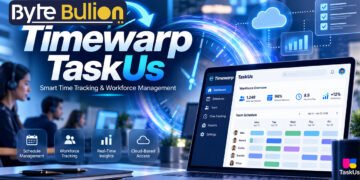



“Timewarp TaskUs” is a search phrase that many people type when they want to find a login page, a time tracking tool, or an explanation of how work hours are handled at a large outsourcing company. TaskUs itself is a real and well-known business. The word “Timewarp” is where things get unclear. Several websites describe it as a powerful platform with time tracking, scheduling, dashboards, and artificial intelligence features, but none of them show proof that it is an official TaskUs product. This article separates the facts from the guesses, explains how time tracking usually works in the outsourcing industry, and gives you a safe way to find the right login if you work there.
Who Is TaskUs?
TaskUs is a company that provides outsourced support and digital services. Businesses hire it to handle work such as customer support, content moderation, data labeling, and back-office tasks. It is a publicly known company with an official website at taskus.com, and it employs people in many countries. If you want reliable facts about the company, its services, or its careers, the official website is the place to start.
Because companies like this run around the clock, time and attendance matter a great deal. Teams work in shifts, customers expect fast answers, and clients often pay based on hours or tasks completed. That is why people searching for tools connected to such a company are usually looking for something practical, like how to clock in, check a schedule, or see their hours.
What Do Websites Say About Timewarp?
The articles we found describe Timewarp TaskUs as a cloud-based platform for workforce operations. They list features such as time and attendance tracking, shift scheduling, task management, performance dashboards, support ticket handling, and audit trails. Some add that it uses AI to suggest replies or sort requests, and that managers can see live numbers and step in before a deadline is missed.
On paper, these features sound reasonable. They are the same kinds of tools you would expect in any large support operation. The problem is the lack of detail. These pages do not name a developer or owner. They do not say which companies use the platform. They do not give prices, launch dates, screenshots from a real login, customer stories, or numbers that you can check. One article cites another site as its source but gives no link or quote. Much of the wording is promotional, using words like “transforms” and “proactive” without evidence.
Is Timewarp an Official TaskUs Tool?
We could not confirm it. Having the word “TaskUs” in a search phrase does not prove that the company owns or runs a tool called Timewarp. Employees at large companies often use internal systems with private names, and those systems are not described on public websites. That would be normal. But it also means that public articles about them are almost always guesses.
If Timewarp is a real internal tool, the people who can tell you about it are your manager, your team lead, your human resources team, or your company’s IT help desk. If it is not, then any public page that offers a “Timewarp login” deserves caution. The honest answer is that we do not know, and the pages that claim to know have not shown how.
Why a Fake Login Page Is a Real Risk
Searching for a login page is one of the most common ways people end up on a fake site. Scammers create pages that look like a company portal, copy its colors and logo, and ask you to enter your username and password. Once you do, they have your credentials.
For an employee, this can be serious. Work accounts may hold personal data, payroll information, and access to client systems. A stolen login can lead to account takeover, fraud, or a data breach that affects other people. The Federal Trade Commission has plain advice on how to recognize and avoid phishing scams, including checking web addresses and avoiding links from unknown sources.
How to Find the Right Login Safely
If you work for TaskUs, or for any company, the safest way to reach a work tool is through the channels your employer gave you. Check your onboarding email, your company intranet, or the page your manager or HR team shared. Save the address in your browser bookmarks so you do not need to search for it again.
When you open a login page, look at the address bar. The domain should match what your company told you, and it should start with https. Be suspicious of addresses with extra words, odd endings, or small spelling changes. If your company uses single sign-on, you should usually be sent to a familiar company or identity provider page. If anything looks different from last time, stop and ask your IT team.
Never enter work credentials on a website you found through a search result if you are not sure it is official. Also avoid sharing passwords or one-time codes with anyone who contacts you, even if they say they are from support. A real help desk will not ask for your full password.
How Time Tracking Usually Works in Outsourcing
Even without knowing what Timewarp is, it helps to understand how time tracking works in this industry. Most large support teams use a workforce management system. Employees clock in and out, log breaks, and record their activity status. The system compares planned schedules with actual hours and flags gaps.
Managers use these tools to match staff to demand. If many customers contact a client’s support line on Monday mornings, the schedule needs more people then. Forecasts help planners decide shifts, and live dashboards show whether the team is meeting its targets. Time data also feeds into payroll, so accuracy matters for your pay.
If you notice a mistake in your hours, report it quickly. Keep your own notes of your shifts, including start and end times, so you can show your manager if there is a problem. Most companies have a process for time corrections, and it usually works better when you act soon after the error.
Features to Expect From a Good Workforce Tool
Whatever a company uses, a well-built time and task system usually offers a few basic things. It lets employees clock in and out easily on a computer or phone. It shows a clear schedule and sends alerts about changes. It records breaks and approved leave. It gives managers reports, and it keeps a log of changes so that edits can be reviewed later.
A good system also protects privacy. It collects the data needed to run the business and does not share it widely. If you are curious about what is tracked on your work device, ask your employer for a copy of its policy. Understanding the rules helps you know your rights and responsibilities.
Tips to Protect Your Work Accounts
Safe habits matter more than any single tool. Use a strong, unique password for your work account, and turn on two-step verification if your company offers it. Keep your computer and browser updated. Do not install unknown extensions or programs on a work device, and be careful about what you download from the web.
Be careful with email as well. Phishing messages often pretend to come from HR, payroll, or IT, and they push you to act fast. If a message makes you feel rushed, take a breath and check with the sender through another channel. Finally, log out of shared computers and never save passwords on a device that is not yours. If you want to learn more about keeping your online life private, this article about staying private online offers some simple ideas.
How to Judge Articles About Company Tools
This topic shows how easy it is to be misled by confident writing. A trustworthy article about a company tool names its sources, links to official pages, and tells you what it could not confirm. It does not claim to know internal details unless it has a real source. When many pages use almost the same words, it usually means they copied each other.
Before you act on any advice, ask who wrote it, how they know, and whether you can check it in a second place. For work tools, the best second place is your own employer. A short message to your IT help desk will give you a better answer than a dozen blog posts.
What to Do If You Already Entered Your Details on a Doubtful Page
If you typed your work username and password into a page you now doubt, act quickly. Change your password right away from a trusted device, using the official process your company gave you. Tell your IT or security team what happened, including the address of the page if you remember it. They can check for strange sign-ins and reset any sessions that may be open.
If you used the same password on other sites, change it there as well, and use a different one for each account from now on. A password manager makes this easier. Watch your email and payroll accounts for changes you did not make. Reporting early is never a sign of failure. Security teams see these cases often, and a fast report can stop a small mistake from turning into a large problem for you and your coworkers.
Conclusion
TaskUs is a real company, but we could not verify that “Timewarp TaskUs” is an official product, and the articles that describe it do not show proof. The features they list are normal for workforce tools, yet there are no names, customers, prices, or documents to confirm them. If you work at TaskUs and need a time tracking or scheduling tool, use the links and instructions that your employer gave you, bookmark them, and ask IT if you are unsure. If you are only curious, rely on the official company website for facts. Above all, do not enter your work password on a page you cannot trust, because a fake login is a far bigger problem than a missing explanation.
Frequently Asked Questions
1. Is Timewarp TaskUs an official TaskUs tool?
We could not confirm it. Public articles describe it, but none show proof of ownership, so ask your employer if you work there.
2. Where can I find a safe Timewarp login?
Use the link from your onboarding email, company intranet, or HR team. Do not rely on search results for work logins.
3. What does Timewarp supposedly do?
Websites say it handles time tracking, scheduling, task management, and dashboards, but these claims have no checkable source.
4. What should I do if my logged hours are wrong?
Report it to your team lead or HR as soon as you can, and share your own notes of your shift times.
5. How can I avoid fake login pages?
Check the web address, use bookmarks from your employer, turn on two-step verification, and never share your password or codes.




