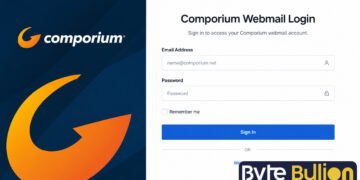



Comporium webmail login gives South Carolina residents and business customers a simple way to check their email from any browser. Comporium is a telecommunications provider that offers internet, TV, phone, and email services, and its webmail platform runs on Zimbra, a well-known email server system. Many users search for quick answers about signing in, resetting a forgotten password, or fixing errors that block access to their inbox. This guide walks through the login steps, common issues, and simple fixes so you can get back into your account without frustration.
What Is Comporium Webmail?
Comporium webmail is the online email service for anyone with a comporium.net email address. Instead of downloading a separate app, users open a web browser and log in directly through a secure page to read, send, and organize messages. The service is built on Zimbra, which explains why some menus and settings look similar to other Zimbra-based email tools.
It is worth noting that Comporium stopped issuing new comporium.net email accounts after February 1, 2022. Existing users can still log in and use their accounts normally, but new customers will not receive a comporium.net address. Accounts that sit unused for 75 days are also archived, which can cause login errors for returning users.
How to Log In to Comporium Webmail
Signing in only takes a few steps. Open your browser and go to the official Comporium webmail address, then enter your login details.
- Visit webmail.comporium.net.
- Type your full email address, including “@comporium.net.”
- Enter your password in the field provided.
- Click the sign-in button to reach your inbox.
Always type the web address directly instead of clicking links from unknown emails or messages. This habit protects your account from phishing attempts that copy the real login page.
Common Login Problems and How to Fix Them
Most login issues fall into a few clear categories, and each one has a straightforward solution. Understanding the cause helps you pick the right fix instead of guessing.
Incorrect password. This is the most frequent reason users get locked out. Passwords are case sensitive, so check that your Caps Lock key is off and that you are not accidentally adding extra spaces.
Account inactivity. If you have not logged in for 75 days or more, your account may be archived, and the system might report that it cannot find your email address. In this case, you will need to contact Comporium support to check the account status.
Browser or connection issues. Sometimes the problem is not your credentials but your browser cache, an outdated browser version, or a temporary service outage. Clearing your browser cache or trying a different browser often resolves loading errors.
How to Reset Your Comporium Password
If you forget your password, you cannot change it directly inside the webmail inbox. Instead, the reset happens through your My Comporium account, which manages your services and billing.
To reset it, log in to My Comporium and look for the password management section, then follow the prompts to create a new password. After resetting, wait a few minutes before trying to log in again, since the update can take a short time to apply across the system. If the reset tool does not work, contact Comporium customer support directly for help.
Setting Up Comporium Email on a Mail App
Some users prefer checking email through an app like Outlook or Apple Mail instead of a browser. Comporium supports this through IMAP, POP3, and SMTP protocols, which let you sync your comporium.net account with almost any mail client.
When setting up the account, use your full email address as the username and enter your regular Comporium webmail password. The incoming mail server should be set to mail.comporium.net, and the outgoing server should be set to smtp.comporium.net. Using the wrong server settings is a common reason app-based logins fail, so double check these details against the official Comporium email setup page before saving.
Keeping Your Account Secure
Email security matters just as much as convenience. Comporium recommends adding recovery information to your account, such as a secondary email or phone number, so you can regain access faster if you ever get locked out.
Avoid using the same password across multiple sites, and change it periodically for added protection. If you ever notice your account sending messages you did not write, contact Comporium immediately, since this can be a sign that the account has been compromised and temporarily suspended for safety.
Conclusion
Comporium webmail login is simple once you know the correct address and keep your credentials up to date. Most problems come down to password errors, inactivity, or browser glitches, and each one has an easy fix through My Comporium or direct support. Keeping your recovery details current will save you time if you ever need to reset your password again.
Frequently Asked Questions
1. What is the Comporium webmail login address?
The official address is webmail.comporium.net, which you can also reach through the main Comporium website.
2. Why can’t I log in to my Comporium email?
The most common reasons are an incorrect password, an inactive account archived after 75 days, or a temporary browser or server issue.
3. How do I reset my Comporium webmail password?
You must reset it through your My Comporium account rather than inside the webmail inbox itself.
4. Can I use Comporium email on my phone or a mail app?
Yes, Comporium supports IMAP, POP3, and SMTP, so you can add your account to apps like Outlook or Apple Mail using the correct server settings.
5. Does Comporium still offer new email accounts?
No, Comporium stopped creating new comporium.net email accounts after February 1, 2022, though existing accounts remain active with regular use.
Find what’s next and explore more at Byte Bullion