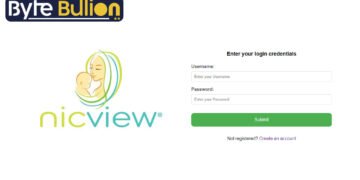



The NicView login gives parents a secure way to watch their baby in the Neonatal Intensive Care Unit (NICU) at any time, day or night. When you cannot sit beside your newborn, this camera system streams live images straight to your phone, tablet, or computer. Many hospitals now offer this service for free to help families stay close during a stressful time. This 2026 guide walks you through how to sign in, what you need before you start, and how to fix common problems, so you never miss a quiet moment with your little one.
What Is NicView?
NicView is a small camera system placed at your baby’s bedside in the NICU. It streams real-time video through a secure online portal, so parents, family, and approved friends can view the infant 24/7 from almost anywhere. Natus Sensory, the company behind the system, recently reengineered it as NicView 2 to deliver a more stable and secure connection for hospitals and families alike.
The camera shows live video only and does not transmit sound. It also does not record or store any footage, which protects your baby’s privacy. Hospital staff turn the camera on and off, so it may switch to an offline image while nurses care for your baby. Many hospitals fund the system through their foundations, which means the service usually costs families nothing.
How to Complete the NicView Login
Signing in takes only a few steps once your hospital sets up your account. Follow this simple process to reach your baby’s live feed:
- Open your web browser and go to nicview.net.
- Enter the unique username and password your NICU staff gave you.
- Click the login button to connect to your baby’s camera.
- Accept the one-time consent notice if it appears on a new device.
- Wait a moment for the live stream to load on your screen.
The first time you or a family member logs in from a new computer, tablet, or smartphone, the system may ask you to accept a short consent message. After that, you can return to the same device and sign in quickly. The portal works on most popular browsers and any internet-connected device.
What You Need Before You Sign In
Before your first login, you must sign a written consent form at the hospital. Only the hospital can issue your username and password, which keeps access limited to approved family members. NICU staff will hand you a printout with your credentials, and in many cases they can email or text the details to you as well.
You decide whether to share these credentials with relatives and close friends. If you do share them, remind everyone to keep the information private and never pass it to others without your permission. A stable internet connection and an updated browser or app round out everything you need to watch your baby without interruptions.
What You Will See After Login
Once you sign in, live images of your baby begin streaming to your screen. You can check in at the start and end of your day, share the view with family far away, and feel more connected to your newborn’s care. The picture may look darker if a blanket covers the incubator, or the colors may shift if your baby rests under phototherapy lights.
Sometimes you will see an offline message such as, “The nurse is caring for your baby right now. Please check back shortly.” This is normal and simply means the medical team turned the camera off during treatment. Your baby’s care always comes first, so try to stay patient and check back a little later.
Common NicView Login Problems and How to Fix Them
Login trouble usually has a quick solution. If you forget your username or password, use the password recovery option on the login page or contact your hospital’s NICU team for a reset. If the mobile app freezes or fails to load, open your app store and update it to the newest version.
A blank or frozen screen often points to a weak internet connection, so switch to stronger Wi-Fi and refresh the page. For anything the login page cannot solve, NicView offers 24/7 technical support at 855-NICVIEW (855-642-8439) or by email at support@nicview.net. The team can help you sign in, reset credentials, or adjust the camera angle remotely.
Is the NicView System Safe and Private?
NicView protects your baby’s images with up to 256-bit SSL encryption, the same web standard many banks use for online accounts. No one can view the stream unless you have shared your login credentials with them, which puts you in full control of who watches. Because the cameras never record or store video, there is no saved footage to worry about.
The law also protects your stream, since recording or copying the live feed is illegal. Keep in mind that NicView is not available at every hospital, as only facilities that partner with the company install the cameras. If your hospital does not offer it yet, ask the NICU team whether they plan to add the service.
Conclusion
The NicView login helps parents stay close to their newborn even when they cannot be at the bedside. With your credentials from the hospital, a secure sign-in at nicview.net puts a live view of your baby right in your hands, day or night.
Frequently Asked Questions
1. How do I log in to NicView?
Go to nicview.net, enter the username and password from your NICU staff, and click login to view your baby’s live stream.
2. Where do I get my NicView username and password?
Only your hospital can issue credentials. NICU staff provide them after you sign a consent form, often by printout, email, or text.
3. What if I forget my NicView password?
Use the password recovery link on the login page, or contact your hospital’s NICU team to reset your credentials.
4. Does NicView have sound or recorded video?
No. The cameras stream live video only, with no audio, and they never record or store any footage.
5. Is NicView free to use?
In most hospitals, yes. The service is usually funded by the hospital, so families can watch their baby at no cost.
Find what’s next and explore more at Byte Bullion